
Table of Contents
Compress PDF: How to Reduce File Size Without Losing Quality
Managing large PDF files can be frustrating, especially when you need to upload them online, share them through email, or store them on limited space. A heavy file slows everything down and often leads to upload errors. This is where the ability to compress PDF files becomes essential. With the right tool, you can reduce file size while keeping the text, images, and layout clear.
If you’re looking for a fast and simple way to shrink your PDFs, iLovePDFApp offers an easy online solution:
Website: ILovePDF app
Compress PDF Tool: Use tool
Below is a complete guide on what PDF compression means, how it works, when you need it, and how to get the best results.
What Does It Mean to Compress PDF?
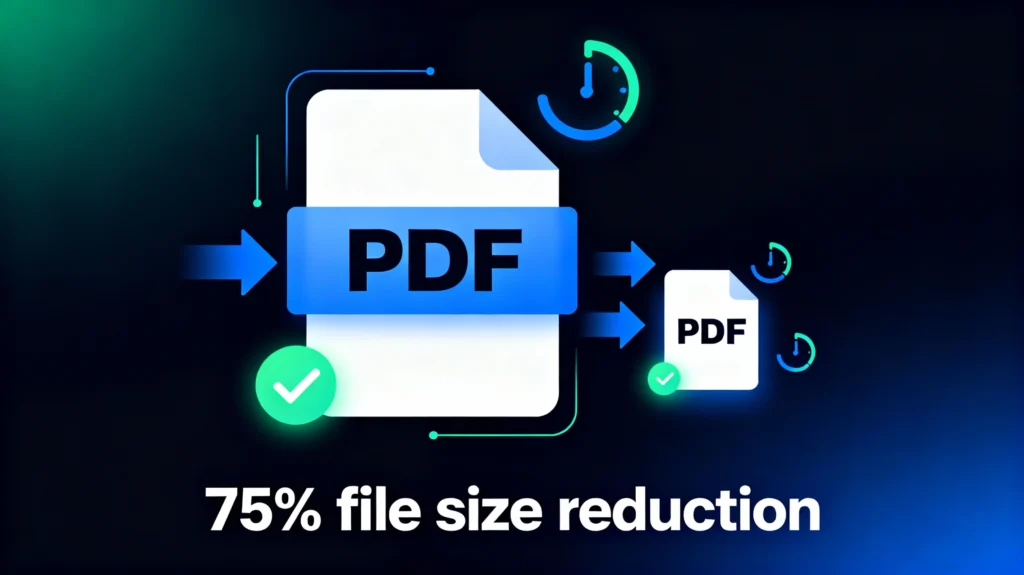
Compressing a PDF means reducing its file size without changing the actual content. This can be done by optimizing images, removing unnecessary data, and restructuring the file. The goal is to make the PDF lighter, faster to load, and easier to share.
There are two main types of PDF compression:
1. Lossless Compression
This method reduces file size without affecting quality. Everything stays the same, and the PDF can be restored to its original state if needed.
2. Lossy Compression
Lossy compression reduces file size more aggressively, usually by lowering image quality or removing hidden data. The final PDF still looks great but is much smaller.
iLovePDFApp gives you the perfect balance of quality and file reduction, letting you pick the level of compression that fits your needs.
Why You Should Compress PDF Files
Large PDF files cause unnecessary delays and storage issues. Compressing them offers several benefits:
1. Faster Uploads and Downloads
LaWhether you’re sending files through email or uploading them to a website, smaller PDFs move much faster.rge PDF files cause unnecessary delays and storage issues. Compressing them offers several benefits:
2. Easier Sharing
Some email providers don’t allow large attachments. A compressed PDF ensures smooth sending.
3. Saves Storage Space
If you manage documents regularly, compressing them prevents your device or cloud storage from filling up too quickly.
4. Improves Website Performance
If you’re publishing PDFs on a website, smaller file sizes make pages load faster, improving the user experience and SEO.
5. Ideal for Mobile Users
Compressed files open quicker and use less data, which is perfect for readers on smartphones.
How to Compress PDF Online Using iLovePDFApp
Compressing a PDF with iLovePDFApp takes only a few steps. The tool works directly in your browser, so there’s nothing to install.
Step 1: Visit the Website
Go to the iLovePDF app
Step 2: Open the Compress PDF Tool
Click here: Tool link
Step 3: Upload Your PDF
Choose the PDF you want to compress from your device or drag and drop it into the upload box.
Step 4: Select Compression Level
You can choose from multiple compression options depending on how small you want the final file to be.
Step 5: Download the New Compressed File
- In seconds, your optimized PDF will be ready.
- Download it and use it anywhere.
- This simple process ensures high-quality compression without wasting time.
Change the Page Size of a PDF: Another Useful Feature
Apart from compression, many users also need to adjust page sizes. Maybe you’re preparing a document for printing, or you want a uniform format. iLovePDFApp also offers tools to help you change PDF page size effortlessly.
You can resize pages to:
- A4
- Letter
- Legal
- A3
- Custom dimensions
This helps maintain clean formatting across documents and makes them easier to print or share.
While the focus keyword is compress pdf, it’s helpful to know that PDF resizing is available too. It pairs well with compression, especially if you’re preparing files for professional use.
Best Practices for Compressing PDF Files
To get the cleanest results, keep these tips in mind:
1. Check the Original File Quality
If your file already has low-quality images, heavy compression may make them look worse. Start with a good-quality PDF.
2. Use the Right Compression Level
Choosing maximum compression isn’t always necessary. Pick a balanced option when quality matters.
3. Remove Extra Elements
Before compression, delete pages, watermarks, or graphics you don’t need.
4. Keep a Backup
Always store a copy of the original PDF in case you need it later.
5. Use a Trusted Tool
Some tools distort text or reduce clarity. Using a dependable platform like iLovePDFApp helps maintain quality.
Who Needs to Compress PDF Files?
PDF compression is useful across many fields, including:
- Students:
Submitting assignments online becomes smoother with small file sizes. - Professionals
Sharing reports, proposals, or presentations is easier when the PDF is light. - Business Owners:
Compressing PDFs ensures smooth file transfer and archiving. - Designers:
Graphic-heavy files can be optimized without losing detail. - Website Owners:
Smaller PDFs improve SEO and user experience.
Whether you’re a beginner or a daily user, the ability to compress pdf gives you a smoother workflow.
Features of the iLovePDFApp Compress PDF Tool
Here are the standout features of the compression tool:
- Simple interface
- Fast processing
- Browser-based (no installation needed)
- Multiple compression levels
- Secure file handling
- High-quality output
- Completely free to use
You can explore all tools directly on the website:
➡ ILovePDF App
FAQs About Compress PDF
Q1. Does compressing a PDF reduce the quality?
Ans. Not always. Lossless compression keeps the quality the same. Even with lossy compression, tools like iLovePDFApp maintain clarity while reducing size.
Q2. Is it safe to compress PDF files online?
Ans. Yes. iLovePDFApp processes your file securely, and uploaded documents are removed shortly after processing.
Q3. Can I compress PDF files on mobile?
Ans. Absolutely. The tool works on Android and iOS through any browser.
Q4. How much can a PDF be reduced?
Ans. This varies. Small files may shrink a little, while image-heavy files can become much smaller.
Q5. Will the format or layout change after compression?
Ans. No. Compression only reduces size; it doesn’t change the layout, fonts, or structure.
Final Thoughts
Compressing a PDF is one of the easiest ways to simplify your workflow. Whether you’re a student, professional, or business owner, smaller files help you work faster and smarter. With iLovePDFApp, you get a quick, safe, and free solution that delivers high-quality results.
Try it here:
Website: ILovePDF App
DeCompress PDF Tool: Use tool