
Table of Contents
Crop PDF Easily Online Without Any Hassle
Working with PDF files sounds simple until you need to remove unwanted margins, cut out extra white space, or focus on a specific section of a page. This is where Crop PDF becomes useful. Whether you are a student, office worker, or someone handling PDFs occasionally, cropping a PDF helps make documents cleaner, smaller, and more professional.
In this guide, you will learn what Crop PDF means, why it is useful, and how you can easily crop a PDF online using ilovepdfapp.com, even if you are a complete beginner.
What is Crop PDF?
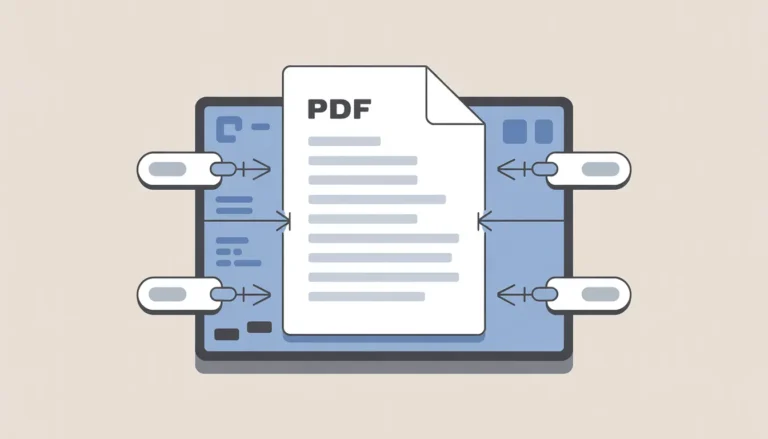
Crop PDF is the process of trimming unwanted parts from a PDF page. It allows you to remove extra margins, headers, footers, or blank spaces without changing the main content.
Unlike editing text, cropping only affects the visible area of the page. The content inside stays exactly the same, but the page layout looks more focused and neat.
Many people confuse cropping with resizing. Resizing changes the page scale, while cropping simply cuts out unnecessary areas. If you want a clean and well-aligned document, cropping is the right solution.
Why You Might Need Crop PDF
There are many everyday situations where cropping a PDF becomes necessary. Some common reasons include:
- Removing large white margins from scanned documents
- Cropping screenshots saved as PDFs
- Adjusting pages before printing
- Focusing on a specific section of a document
- Making PDFs look cleaner for sharing or presentations
- Reducing file size slightly by removing unused space
Students often use how to crop PDF tools to clean up notes. Professionals use a free PDF editor to crop documents before sending them to clients. No matter the use case, cropping helps your PDF look more polished.
How to Crop PDF Using ilovepdfapp.com
Cropping a PDF does not need special software or technical skills. You can do it directly in your browser using ilovepdfapp.com.
Follow these simple steps:
Step 1: Open the Crop PDF Tool
Go to the official Crop PDF page:
Crop PDF
All PDF Converter tools are available on ILovePDF app
Step 2: Upload Your PDF File
After selecting the PDF file from your device, click the upload option. The tool supports standard PDF files without any issues.
Step 3: Select the Crop Area
Once your PDF loads, you can visually select the area you want to keep. Drag the crop box to adjust margins or remove unwanted sections.
Step 4: Apply the Crop
After selecting the desired area, apply the crop. The tool processes your file quickly.
Step 5: Download the Cropped PDF
Download the final cropped PDF to your device. Your content remains intact, just cleaner and better aligned.
This step-by-step process makes how to crop a PDF simple, even for first-time users.
Key Features of ilovepdfapp.com for This Task
ilovepdfapp.com is designed for users who want quick and easy PDF solutions. When using the Crop PDF tool, you get several helpful features:
- Clean and simple interface
- No software installation required
- Works on desktop and mobile browsers
- Fast processing speed
- No complicated settings
- Suitable for beginners and general users
The tool focuses on usability, so you do not feel overwhelmed while cropping your PDF.

Benefits of Using an Online Tool
- Using an online crop to PDF solution has clear advantages compared to offline software.
- First, you do not need to install anything. Both time and device storage are saved as a result.
- Second, online tools are platform-independent. You can crop a PDF on Windows, Mac, Android, or iOS without compatibility issues.
- Third, tools like ilovepdfapp.com are designed for quick tasks. You can crop a PDF in minutes instead of learning complex software.
- Finally, online tools are ideal for users who only need basic PDF editing without advanced features they will never use.
Common Questions or FAQs
Q1. How can a PDF be cropped without sacrificing quality?
Cropping a PDF does not affect content quality. It only removes unwanted areas around the content.
Q2. Is Crop PDF free to use on ilovepdfapp.com?
Yes, the Crop PDF tool is available online and does not require paid software to perform basic cropping.
Q3. Can I crop multiple pages in a PDF?
Yes, you can crop pages as needed depending on the document layout.
Q4. Is my PDF file safe when using an online tool?
ilovepdfapp.com processes files securely and is built for quick, temporary file handling.
Q5. Do I need technical knowledge to crop a PDF?
No. The tool is designed for beginners and general users with no technical background.
Final Thoughts
Cropping a PDF is a small change that can make a big difference in how your document looks and feels. Whether you want to remove extra margins, clean up scanned files, or prepare a document for sharing, Crop PDF helps you get the job done quickly.
With a simple interface and beginner-friendly workflow, ilovepdfapp.com makes how to crop PDF easy for everyone. You do not need advanced software or editing skills. Just upload, crop, and download.
If you are looking for a fast and reliable way to crop your PDF files online, visit ilovepdfapp.com today and try the Crop PDF tool for yourself.
Follow Us on Social Media
- Facebook: I Love PDFApp on Facebook
- Twitter: I Love PDFApp on Twitter
- Telegram: I Love PDFApp on Telegram
- Linkedin: I Love PDFApp on Linkedin
- Pinterest: I Love PDFApp on Pinterest