
Table of Contents
Markdown to PDF: Convert Markdown Documents to Beautifully Formatted PDFs
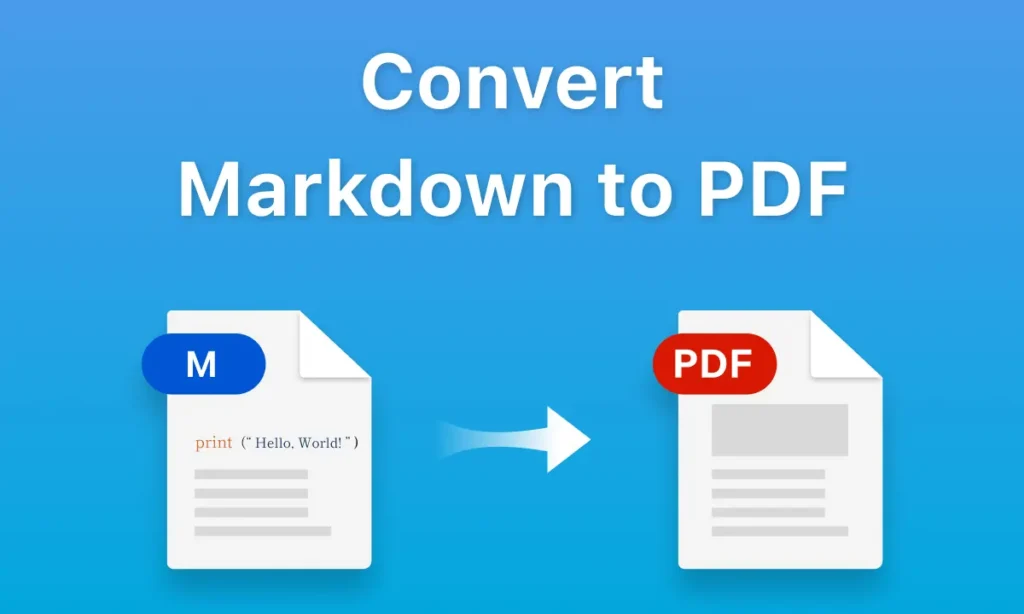
Converting markdown to pdf is one of the fastest ways to turn plain text notes, documentation, or blog drafts into professional, shareable documents. With the right tools and a simple workflow, you can go from raw Markdown to a polished PDF that looks great on any device.
What Is Markdown and Why Convert It to PDF?
Markdown is a lightweight markup language that lets you format text using simple symbols for headings, lists, links, code blocks, and more, without needing a full word processor. It is popular among developers, technical writers, and content creators because it is easy to write, version, and reuse across different platforms.
website : ILovePDF app Converting markdown to pdf lets you keep your Markdown writing workflow while delivering a final output that is polished, printable, and easy to share with clients, colleagues, or customers. PDFs preserve layout, fonts, and structure, so your headings, tables, and code snippets look consistent on any device.
Benefits of Converting Markdown to PDF
- Professional presentation
A PDF allows you to apply consistent fonts, spacing, margins, page numbers, and branding so your document feels like a finished report instead of a raw text file. - Easy sharing and printing
PDFs open on almost any device and are ideal for emailing, downloading, or printing without worrying about the reader’s editor or operating system. - Better control over formatting
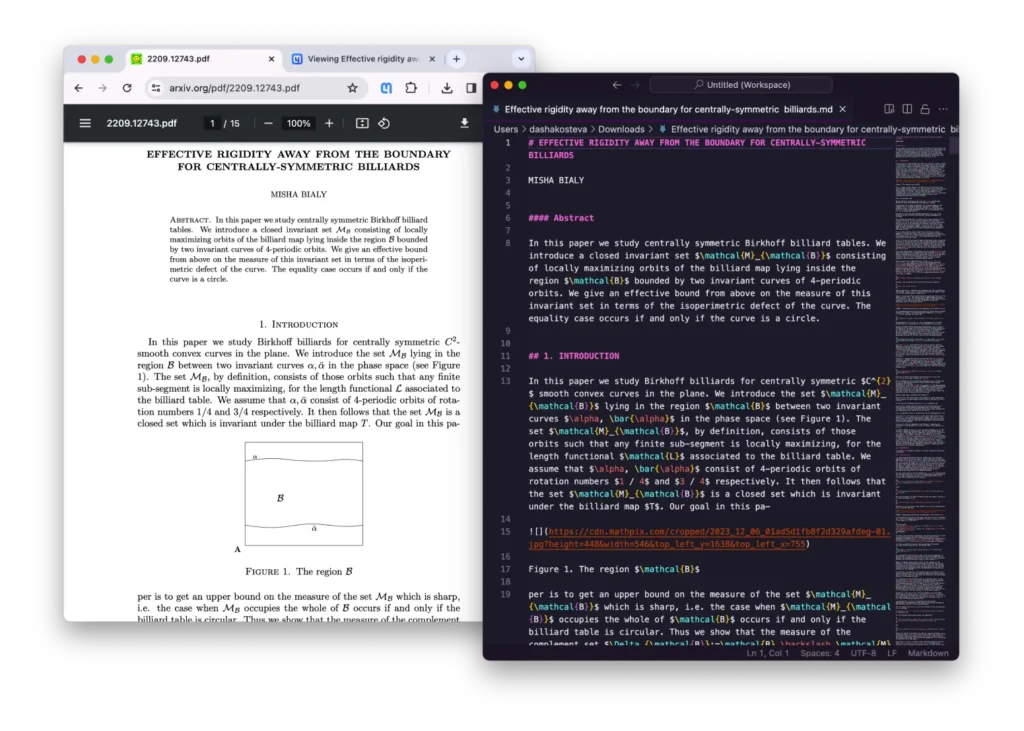
Modern markdown to pdf tools support headings, lists, images, tables, code blocks, and even LaTeX math, so your original structure is preserved in the final PDF. - SEO and content reuse
You can write once in Markdown, export to PDF for sharing, and also repurpose that same content for HTML pages or other formats to boost reach and visibility.
Benefits of Converting Markdown to PDF
There are several approaches you can use depending on your skill level and needs.
- Online markdown to pdf converters
Browser-based tools let you paste or upload Markdown and instantly download a PDF, with no installation or setup required. These are perfect for quick, one‑off conversions when you want a fast result. - Desktop editors with export
Editors like Typora or certain VS Code extensions allow you to preview Markdown and export directly to PDF, often preserving styles and themes. - Command-line and automation tools
Tools such as Pandoc or REST APIs can convert markdown to pdf in bulk or as part of an automated workflow, ideal for larger sites, documentation systems, or CI pipelines.
Online Markdown to PDF vs Local Tools
Choosing between an online markdown to pdf converter and a local tool depends on speed, control, and security needs.
<table>
<tr><th>Approach</th><th>Best For</th><th>Main Advantages</th><th>Potential Limitations</th></tr>
<tr>
<td>Online converters</td>
<td>Quick, occasional conversions</td>
<td>No installation, works from any browser, simple workflow. </td>
<td>Limited customization and styling control in some tools. </td>
</tr>
<tr>
<td>Desktop editors</td>
<td>Writers needing live preview</td>
<td>See final layout as you type, export markdown to pdf in one click. </td>
<td>Requires installing software on your device.</td>
</tr>
<tr>
<td>CLI / Pandoc / APIs</td>
<td>Developers and teams</td>
<td>Batch conversion, automation, advanced styling via templates. </td>
<td>Needs scripting skills and some setup effort.</td>
</tr>
</table>
Combining approaches often works best: you can draft in a local editor, automate bulk exports for documentation, and still rely on an online markdown to pdf tool when you are away from your main machine.
How to Convert Markdown to PDF Step by Step
- Prepare your Markdown
Make sure your headings, lists, and tables follow standard Markdown syntax, and check that image paths and links are correct. Clean structure in your Markdown almost always leads to a cleaner PDF output. - Choose a converter
Decide whether to use an online converter, a desktop editor, or an automated tool based on how often you convert and how much control you want over styling. - Configure formatting options
Many tools let you adjust page size, orientation, margins, fonts, and themes before exporting markdown to pdf, which affects the final readability and professionalism of the document. - Generate and review the PDF
Export the PDF, then open it on both desktop and mobile to ensure headings, images, code blocks, and page breaks look correct. - Optimize the file for sharing
If the file is large, compressing the PDF or optimizing images can make it faster to download without sacrificing visual quality.
Best Practices for Beautiful Markdown PDFs
A good markdown to pdf tool can only do so much; the rest depends on how you structure and style your Markdown content.
- Use clear heading hierarchy
Start with a single main title, then use consistent H2 and H3 subheadings so your PDF is easy to scan and navigate. - Keep paragraphs short and readable
Aim for a few sentences per paragraph, use bullet lists for key points, and avoid large blocks of text that feel overwhelming on smaller screens. - Format tables and code blocks carefully
Ensure tables are not too wide, and use fenced code blocks for code snippets so your markdown to pdf conversion retains alignment and monospaced fonts. - Add internal links and anchors
Where possible, include links between sections and related resources so your PDF behaves more like an interactive document than a static page.
- Use clear heading hierarchy
SEO Tips When Using PDFs Generated from Markdown
If you publish PDFs created from markdown to pdf workflows on your site, it is worth taking a few extra steps so they can perform well in search engines.
- Use keyword‑rich filenames and titles
Include your main keyword, such as “markdown-to-pdf-guide”, in both the PDF file name and the internal document title and metadata. - Make your PDF mobile‑friendly
Choose portrait orientation, comfortable font sizes, and logical headings so users on phones can easily scroll and read without zooming. - Add internal links to your website
Link from your PDF back to relevant pages, tools, and blog posts so readers can continue exploring your site after downloading the document. - Consider offering an HTML version
Publishing the same content as a web page alongside the PDF improves accessibility and gives search engines more structured content to index.
Why Online Markdown to PDF Tools Are So Popular
Online markdown to pdf services have grown rapidly because they remove friction from the conversion process. There is no need to install software, configure complex toolchains, or learn command‑line flags—users simply paste, upload, and download.
These tools are especially useful for remote teams, students, and content creators who work across different devices, since all that is required is a web browser and an internet connection. Many also support extra features such as theme selection, live preview, and multi-format export, helping users produce better‑looking PDFs with minimal effort.
FAQs: Markdown to PDF
Q1. What is the easiest way to convert markdown to pdf?
For most users, the easiest way is to use an online markdown to pdf converter where you paste or upload your Markdown file and download the resulting PDF in a few clicks. This avoids installing software and works from any browser or operating system.
Q2. Will my headings, images, and code blocks be preserved?
Modern markdown to pdf tools support standard Markdown syntax, including headings, lists, tables, images, links, and fenced code blocks, so the structure is usually preserved accurately. Some tools even handle LaTeX math and emojis, which is useful for technical or academic documents.
Q3. Can I customize fonts and layout when exporting Markdown to PDF?
Many converters allow you to change fonts, page size, margins, orientation, and even apply custom themes or CSS before exporting your markdown to pdf. More advanced tools and APIs use templates so you can match your brand style across multiple documents.
Q4. Is it safe to upload Markdown files to online converters?
Reputable markdown to pdf services emphasize data protection, using secure connections and clear privacy policies to explain how files are handled and stored. If your content is highly sensitive, you may prefer a local editor or command‑line tool that keeps everything on your own system.
Q5. How can I improve SEO when sharing PDFs generated from Markdown?
Use descriptive filenames with your main keyword, optimize the PDF title and metadata, and include internal links back to relevant pages on your site. Also ensure the document is easy to read on mobile and, where possible, offer an HTML page version alongside the PDF to increase visibility.
Social Sharing
Share your experience—let colleagues and friends know how easy it is to protect documents on ilovepdfapp.com!
Connect with us on Twitter, Facebook, and LinkedIn for more PDF tips and updates.
Also try EML to PDF tool