
Table of Contents
Resize PDF Online for Free. Here’s How to Resize PDF File Online?
Have you ever tried to print a PDF, only to find the edges are cut off? Or perhaps you’ve downloaded a document that’s an unusual, oversized format and you need to fit it neatly into a standard report? We’ve all been there. The page size of a PDF can be just as important as the information it contains.
Manually adjusting page settings in software can be a time-consuming hassle. But what if you could change it in seconds? With a dedicated tool to free resize PDF online, you can standardize your documents to fit your exact needs, directly from your web browser.
Why Would You Need to Resize a PDF?
You might be wondering why changing a PDF’s page size is so common. The reasons are more frequent than you might think:
- Professional Printing: Most professional printers require specific dimensions like A4 or US Letter. Sending a document with the wrong size can lead to cropping errors or poor quality prints.
- Digital Submissions: Universities, businesses, and government portals often have strict guidelines for document dimensions for uploads.
- Archiving and Consistency: If you’re compiling reports from multiple sources, having all pages in a uniform size (like A4) makes the document look professional and is easier to read.
- Optimizing for Presentations: Resizing a PDF to a wider format can make it more suitable for projecting onto a screen during a meeting.
- Creating Booklets: Preparing a PDF for a booklet or brochure requires a specific page size to ensure the layout folds and prints correctly.
How to Change the Page Size of Your PDF Documents
Our tool at ilovepdfapp.com is designed to make this process incredibly simple. You don’t need to be a tech expert. Just follow these easy steps:
- Visit the Resize Tool: Navigate to our free resize PDF online tool on our website.
- Upload Your PDF: Click the button to select the file from your computer, or simply drag and drop it into the designated area. We support files from all kinds of sources.
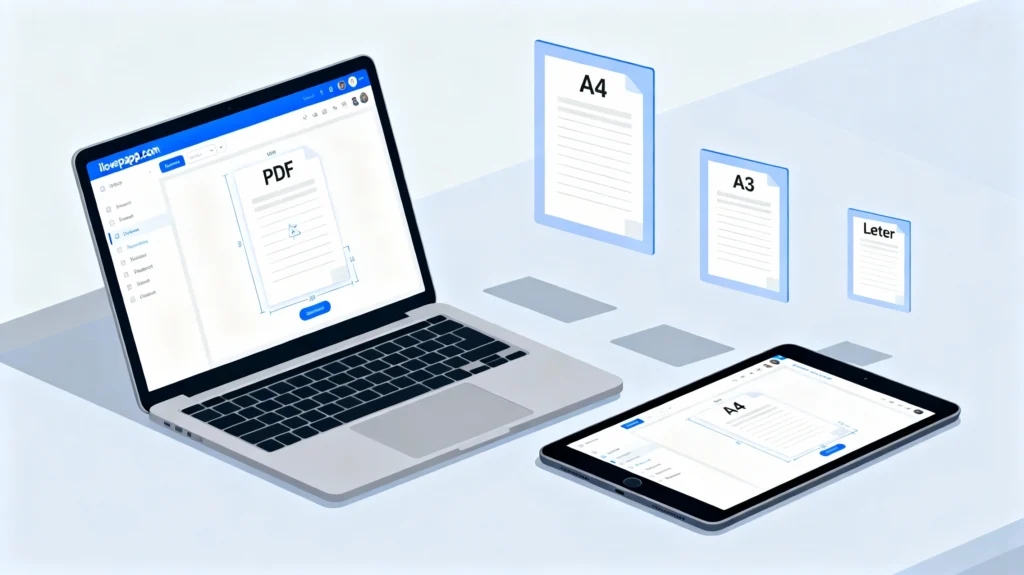
- Choose Your New Size: This is the crucial part. Our tool offers a drop down menu of the most common international page sizes. Whether you need to switch from A3 to A4, from Legal to Letter, or select a custom size, the choice is yours.
- Resize and Download: Click the “Process” button. Our system will process your file instantly, applying the new page dimensions to every page. Within moments, your newly sized PDF will be ready for download.
It’s that straightforward. No watermarks, no sign-ups, and no hidden fees.
The Benefits of Using an Online PDF Resizer
Choosing an online tool like ours offers several advantages over traditional desktop software:
- Accessibility: Access it from any device, anywhere, as long as you have an internet connection. No installation is required.
- Cost-Effective: Being completely free, it saves you the cost of expensive software licenses.
- Efficiency: The process is optimized for speed. What used to take minutes in complex software now takes seconds.
- User-Friendly: The intuitive interface ensures that anyone, regardless of their technical skill, can achieve professional results.
Frequently Asked Questions (FAQ)
No, when you resize a PDF page, you are changing the canvas size, not compressing the content. The text and images remain at their original resolution and sharpness. The tool simply adjusts the dimensions of the page they are placed on.
Yes, absolutely. While we provide a list of standard presets (like A4, Letter, Legal), our tool also allows you to input custom width and height dimensions to fit any unique requirement you have.
Your privacy and security are our top priorities. Files uploaded to ilovepdfapp.com are processed securely over an encrypted connection. All files are automatically and permanently deleted from our servers after processing, ensuring your documents remain confidential.
Yes. The tool applies your chosen page size to every single page within the document, ensuring consistency throughout the entire file.
No, you do not. We believe in providing immediate, free access to our tools. You can resize your PDF without any registration or sign-in process.
Explore More Helpful PDF Tools
While resizing a PDF is a common need, ilovepdfapp.com is your one-stop-shop for all things PDF. After you’ve adjusted your page size, you might find these other related tools incredibly useful:
- Compress PDF: [Use Tool] Reduce the file size of your PDF without significant quality loss, making it easier to email and share.
- Merge PDF: [Use Tool] Combine multiple PDF documents into a single, unified file for better organization.
- PDF to JPG: [Use Tool] Convert your PDF pages into high-quality JPG images for use in presentations or websites.
Visit ilovepdfapp.com today to discover our full suite of free, easy-to-use PDF tools designed to streamline your digital workflow