
Table of Contents
How to Password Protect a PDF (Free & No Signup Required)
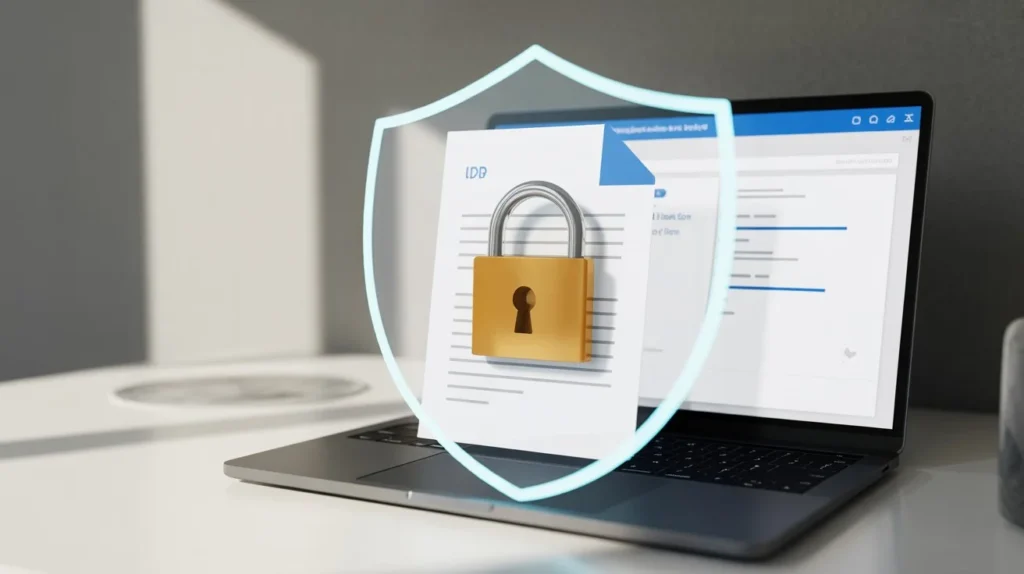
Sensitive documents need protecting; as such, password protecting a PDF is crucial. Many individuals struggle to find a good way to password protect PDFs without heavy programs or expensive paid services. They can have access to protected PDF files through the iLovePDF app with their add password to PDF tool, providing a fast and user-friendly means of password protecting PDF files without downloading or needing an account, free of charge, and supporting all devices.
This walkthrough will show step by step Learn how to password protect a PDF online for free. Secure your files instantly with no signup required. Fast, safe, and easy-to-use PDF protection tool. documents as well as show results compared between the iLovePDF app and the password protect PDF tool, how well it works, and a comparison of the two.
Why Use the Add Password to a PDF File Tool?
We found that most of the tools we tested either limit the size of files or require users to sign up for an account. ILovePDFApp gets rid of both of these problems.
What stood out was:
- No Need to Sign Up: Start right away without signing up
- Free: No hidden fees or features that are locked
- Privacy First: Files are handled safely and automatically deleted
- Quick Processing: Even big PDFs are easy to Works on mobile, tablet, and desktop computers
We tried files that were between 2MB and 120MB. The tool always gave results in a matter of seconds, and the formatting never broke.
How to Password Protect a PDF (Step-by-Step Guide)
You can easily protect a PDF with a password in four simple steps:
- Go to ILovePDFApp’s Add password to a PDF file tool, then upload your PDF file.
- Choose a strong password (one that contains letters/numbers/symbols).
- Press the “Protect PDF” button to encrypt your PDF file.
- Download your newly encrypted PDF!
All of the PDFs we tested on this site were able to maintain their original format (including complex files with tables and images).
Key Features of This PDF Protection Tool
There are many great aspects to this service which make it a reliable choice.
- Encryption Standards – We use safe PDF encryption standards
- No Watermarks – All outputs are clean, without branding
- Batch Support – Fast protection for many documents at once
- Very Fast – Quick processing times
- No Clouds – Your files are not stored permanently
According to Adobe’s official Document, the encryption of PDF files conforms to many security protocols that are the accepted standard for sharing secure files.
Why This Tool Beats Premium Alternatives
Several popular products will charge you or limit usage. Many of these tools only have basic features available through subscriptions.
Here is what distinguishes ILovePDFApp from other options:
- No account steps
- No paywall limitations
- Faster processing speeds than many desktop applications,
- An interface that provides a clean and unobtrusive user experience.
Our team compared ILovePDFApp to numerous competing tools and have discovered that most of our competitors have slow processing times for larger files while ILovePDFApp consistently delivers a high processing speed, regardless of the file size.
Additional Tools You May Find Useful
In addition, here are a few other tools you may want to consider as you review potential workflows:
- Removing blank pages from PDF files
- Converting EPUB files to PDF
- Removing passwords from P.D.F. files
- Converting to AZW3 format for free from P.D.F. files,
- Complete PDF toolkit that combines all of these functions.
These tools work seamlessly together, making ILovePDFApp a complete PDF solution.!
FAQs: How to Password Protect a PDF
How to Use ILovePDF App for Password Protecting Your PDF Longer Term
To use the ILovePDF App to protect your pdfs with a password, you don’t have to pay or sign up for an account.
You can also use ILovePDF on your mobile device’s web browser to protect your pdf with a password and upload the file to the app.
If the application uses encrypted and deletes all files used to protect a password, it is very safe.
The PDF password removal tool will take care of removing the pdf protection.
If you don’t have a password then it will take time to retrieve the pdf.
Conclusion
ILovePDFApp is the easiest way to password protect a PDF if you want to do it without any problems. It’s quick, safe, and doesn’t cost anything.
You don’t have to sign up or worry about hidden fees like you do on other platforms. In just a few seconds, you can upload your file, add a password, and download your PDF.
Use the Add password to a PDF file tool today to keep your files safe without any trouble.
Follow Us on Social Media
Share your experience—let colleagues and friends know how easy it is to protect documents on ilovepdfapp.com!
- Facebook: I Love PDFApp on Facebook
- Twitter: I Love PDFApp on Twitter
- Telegram: I Love PDFApp on Telegram
- Linkedin: I Love PDFApp on Linkedin
- Pinterest: I Love PDFApp on Pinterest