
Table of Contents
PDF Document Redaction: A Simple Guide for Beginners
Sharing PDF files is part of everyday work. But sometimes those files contain sensitive details you do not want others to see. This could be personal information, financial data, or internal notes. Simply hiding text or drawing a black box over it is not enough. That information can still be recovered. This is where pdf document redaction becomes important.
In this guide, you will learn what PDF redaction is, why it matters, and how to redact a PDF safely using a simple online tool from ilovepdfapp.com. Everything is explained in clear language, so even beginners can follow along without confusion.
What Is PDF Document Redaction?
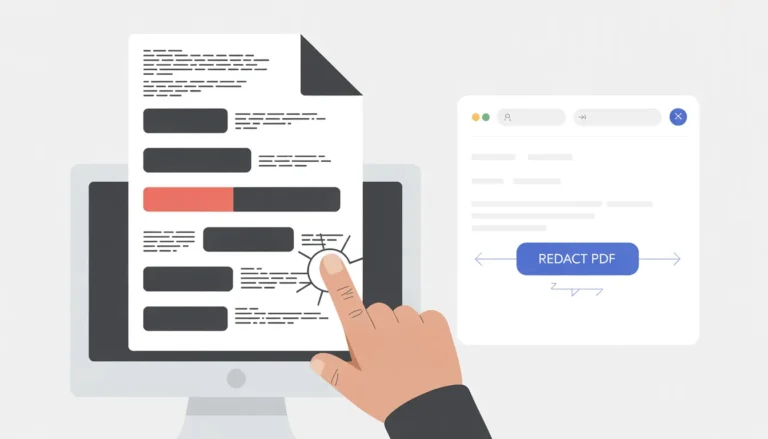
The process of permanently deleting sensitive data from a PDF file is known as PDF document redaction.When you redact content properly, the hidden data is completely deleted and cannot be recovered.
Redaction is different from masking or highlighting text. Masking only hides information visually, while redaction removes it from the document itself. This makes redacted PDFs safe to share publicly or with third parties.
People often ask questions like how do I redact a PDF or how do you redact in PDF. The simple answer is by using a proper redaction tool that deletes sensitive content instead of just hiding it.
Why You Might Need PDF Document Redaction
There are many situations where redacting a PDF is necessary. Some common reasons include:
- Protecting personal details like phone numbers or addresses
- Removing financial information such as bank details
- Hiding confidential business data
- Sharing legal or medical documents safely
- Complying with privacy and data protection rules
If you share documents online or with clients, redaction helps prevent data misuse. Knowing how redact PDF files properly gives you peace of mind.
How to Perform PDF Document Redaction Using ilovepdfapp.com
ilovepdfapp.com offers an easy-to-use online solution for redacting PDF files. You do not need to install software or have technical skills.
Below is a simple step-by-step guide.
Step 1: Open the Redaction Tool
Visit the official redaction page at: Redact PDF
For all tools please visit : ilovePDF app
You will see a clean interface designed for first-time users.
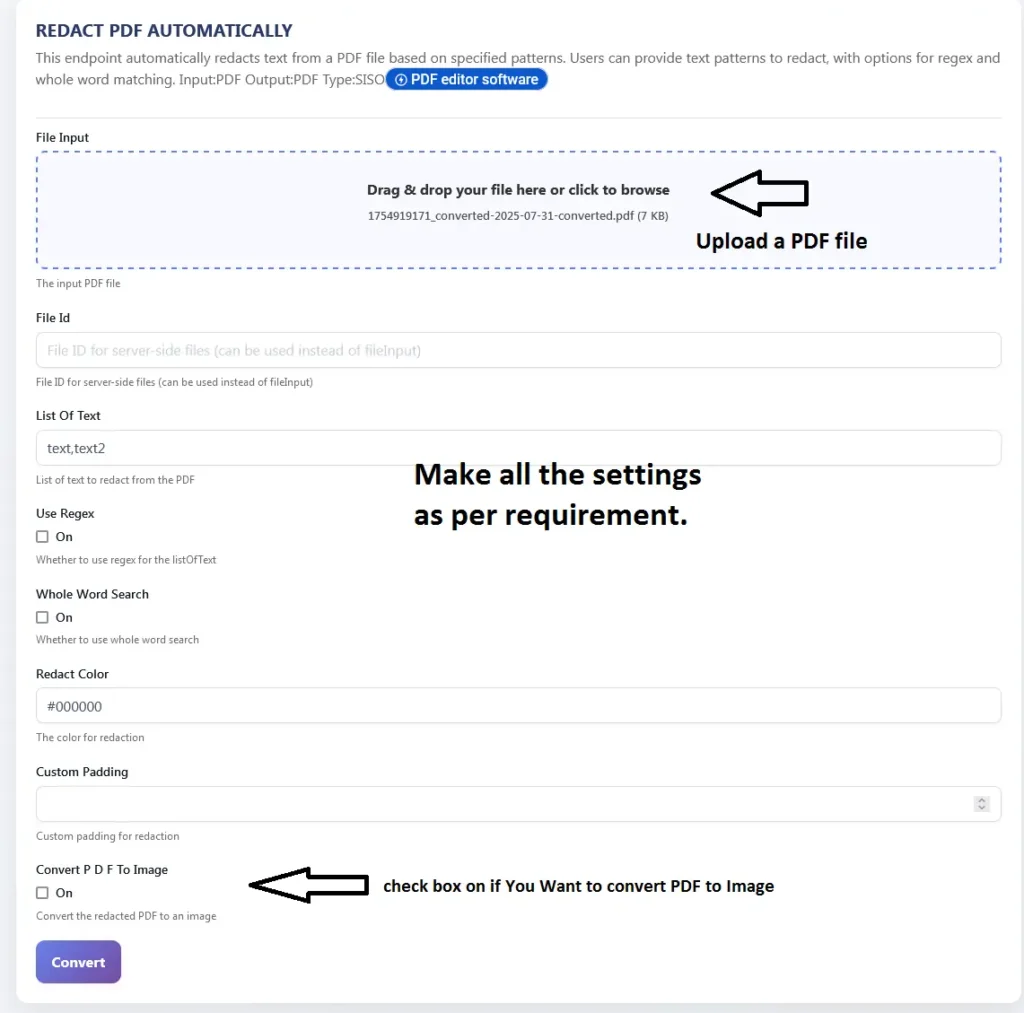
Step 2: Upload Your PDF File
Click the upload button and select the PDF you want to redact from your device.
Step 3: Choose Automatic Redaction
The tool allows you to redact sensitive information automatically. It scans the document and identifies common data patterns that may need protection.
Step 4: Apply Redaction
Click the redaction button to remove the selected information permanently.
Step 5: Download the Redacted PDF
Once processing is complete, download your redacted PDF. The removed content cannot be recovered.
This process answers the question how to redact a PDF in a simple and safe way, even for beginners.
You Can Try Manually Redact Sensitive Information from PDFs Also
In some cases, you may want full control over what gets removed. Manual redaction lets you select specific text or areas to redact instead of relying on automatic detection.
Manual redaction Tool
and Also Read BlogPost
Manual redaction is useful when:
- Only certain words or lines need removal
- The document contains custom or unusual data
- You want to double-check what is being redacted
With manual redaction, you carefully choose the content before applying permanent removal. This approach is ideal for legal documents, contracts, or reports where accuracy matters.
Key Features of ilovepdfapp.com for This Task
The purpose of ilovepdfapp.com is to provide users with dependable and easy-to-use PDF tools. Key features include:
- Easy interface suitable for beginners
- Automatic PDF document redaction
- Secure file handling
- No software installation required
- Works on desktop and mobile browsers
These features make it easier to understand how do you redact in PDF without dealing with complex software.
Benefits of Using an Online Tool
Using an online PDF redaction tool has clear advantages:
- Saves time with quick processing
- No technical knowledge needed
- Accessible from any device
- No need for expensive desktop software
- Ideal for occasional and regular users
For users searching how do I redact a PDF, online tools provide a practical solution without extra effort.
Common Questions or FAQs
Q1. Is redacted information permanently removed?
Yes. Proper redaction deletes the content completely, making it impossible to recover.
Q2. Can I redact a PDF for free online?
Many online tools offer basic redaction features without requiring downloads or sign-ups.
Q3. Is redaction better than hiding text?
Yes. Hiding text only covers it visually, while redaction removes it permanently.
Q4. Does redaction change the rest of the document?
No. Only the selected or detected information is removed. The rest of the content remains unchanged.
Q5. Can I redact PDFs on my phone?
Yes. Online tools work on mobile browsers, making redaction easy on smartphones and tablets.
Final Thoughts
PDF document redaction is an essential step when sharing files that contain sensitive information. Whether you are protecting personal data or confidential business details, proper redaction ensures your information stays secure.
If you are looking for a simple and beginner-friendly way to redact PDFs, ilovepdfapp.com offers an easy solution you can use directly in your browser. Try the redaction tool today and share your PDF files with confidence and control.
Follow Us on Social Media
Share your experience—let colleagues and friends know how easy it is to protect documents on ilovepdfapp.com!
Connect with us on.
- Facebook: I Love PDFApp on Facebook
- Twitter: I Love PDFApp on Twitter
- Telegram: I Love PDFApp on Telegram
- Linkedin: I Love PDFApp on Linkedin
- Pinterest: I Love PDFApp on Pinterest